TL;DR
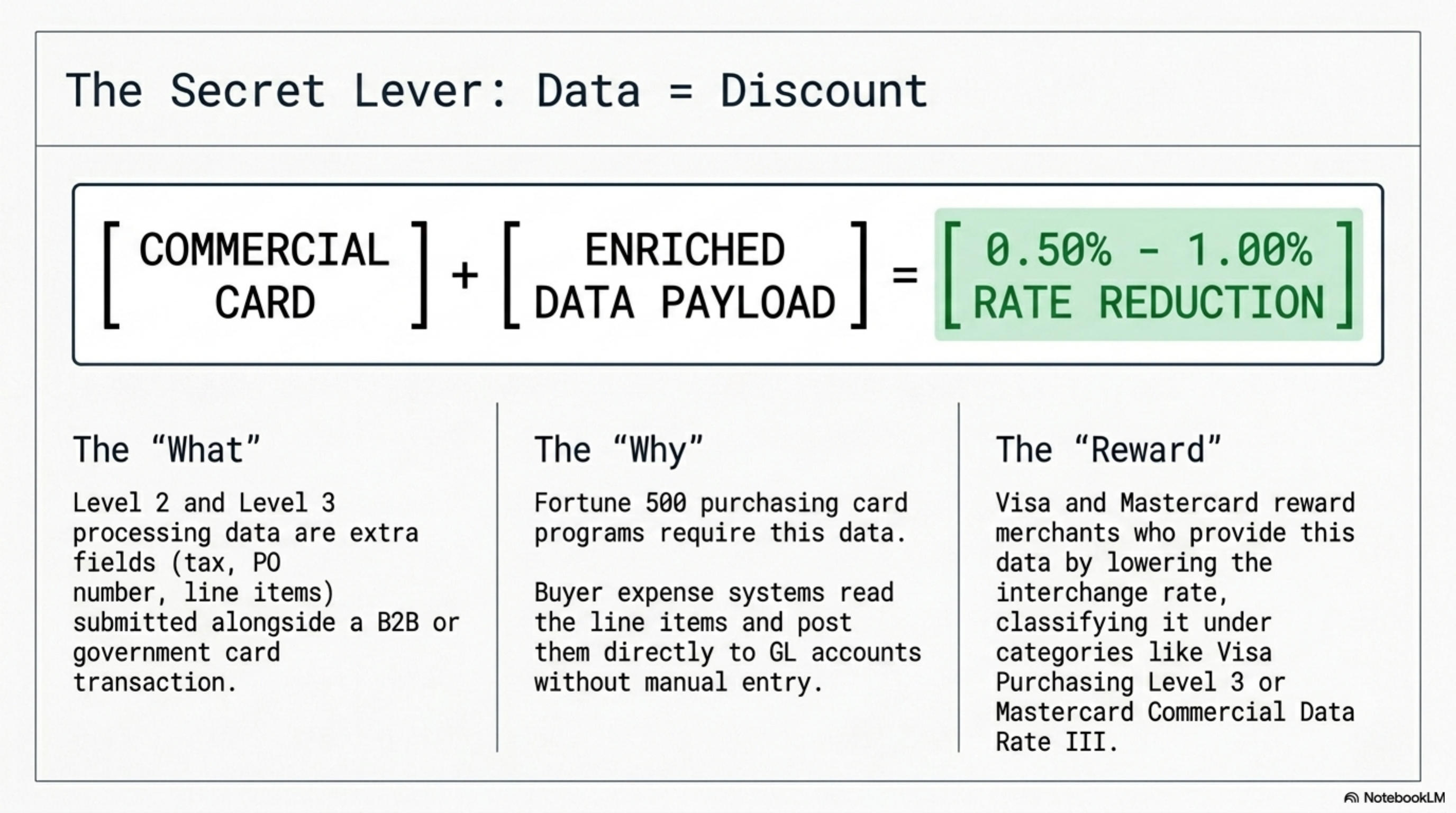
Level 2 and Level 3 processing data are extra fields you submit with a B2B or government card transaction. When the data is present and formatted correctly, Visa and Mastercard apply commercial-card interchange rates that run 0.50 to 1.00 percent lower than the standard commercial rate. If you accept purchasing, business, or government cards and your gateway is not capturing this data, you are paying the top tier on every transaction. The fix is a gateway configuration change, not a new contract.
What this actually is
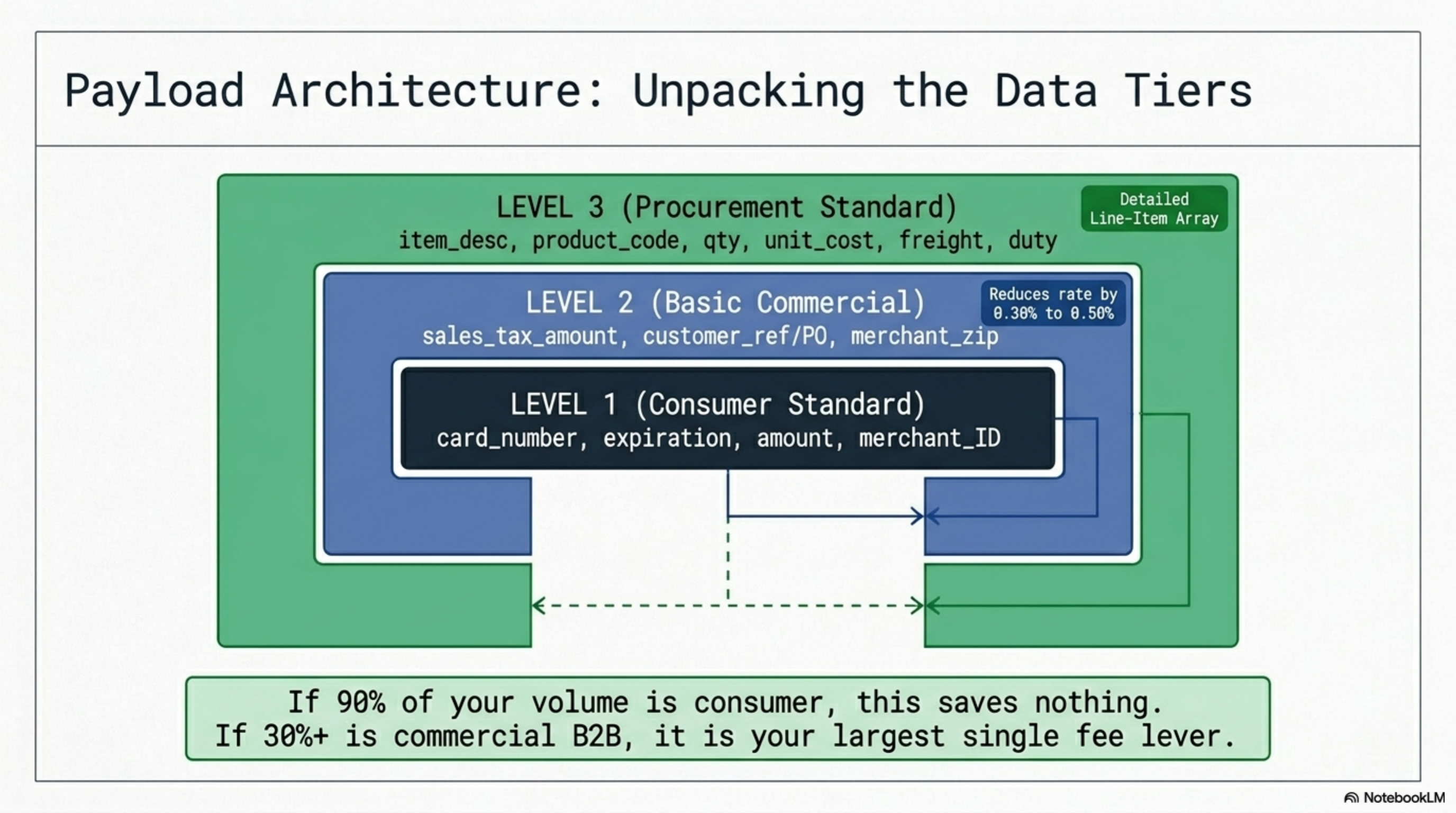
Level 1 is the data set that runs every consumer card payment: card number, expiration, amount, merchant ID. That is enough for a Costco run or a coffee shop. Once a corporate, business, or government card hits your terminal, the card networks expect more.
Level 2 adds three to five fields on top of Level 1: sales tax amount, customer reference number (often a PO number), and the merchant ZIP. Visa and Mastercard treat this as proof the transaction is a commercial purchase. Their published interchange schedules apply a lower rate when the data is present and the tax amount is non-zero. Visa publishes these schedules twice a year, and the difference between Level 1 and Level 2 commercial rates typically runs 0.30 to 0.50 percent.
Level 3 adds line-item detail: each product or SKU, quantity, unit cost, item description, freight amount, duty, and discount. Mastercard's commercial data rates require the same structure. Level 3 is built for procurement: a buyer's expense system reads the line items and posts them to the right GL accounts without anyone keying invoices, which is why purchasing card programs at Fortune 500 buyers will only pay Level 3 suppliers.
The categories were standardized to support government and corporate card programs in the 1990s and have stayed roughly stable since. The Federal Reserve's payments work tracks the commercial card category as one of the highest-growth segments of card volume in the last decade.
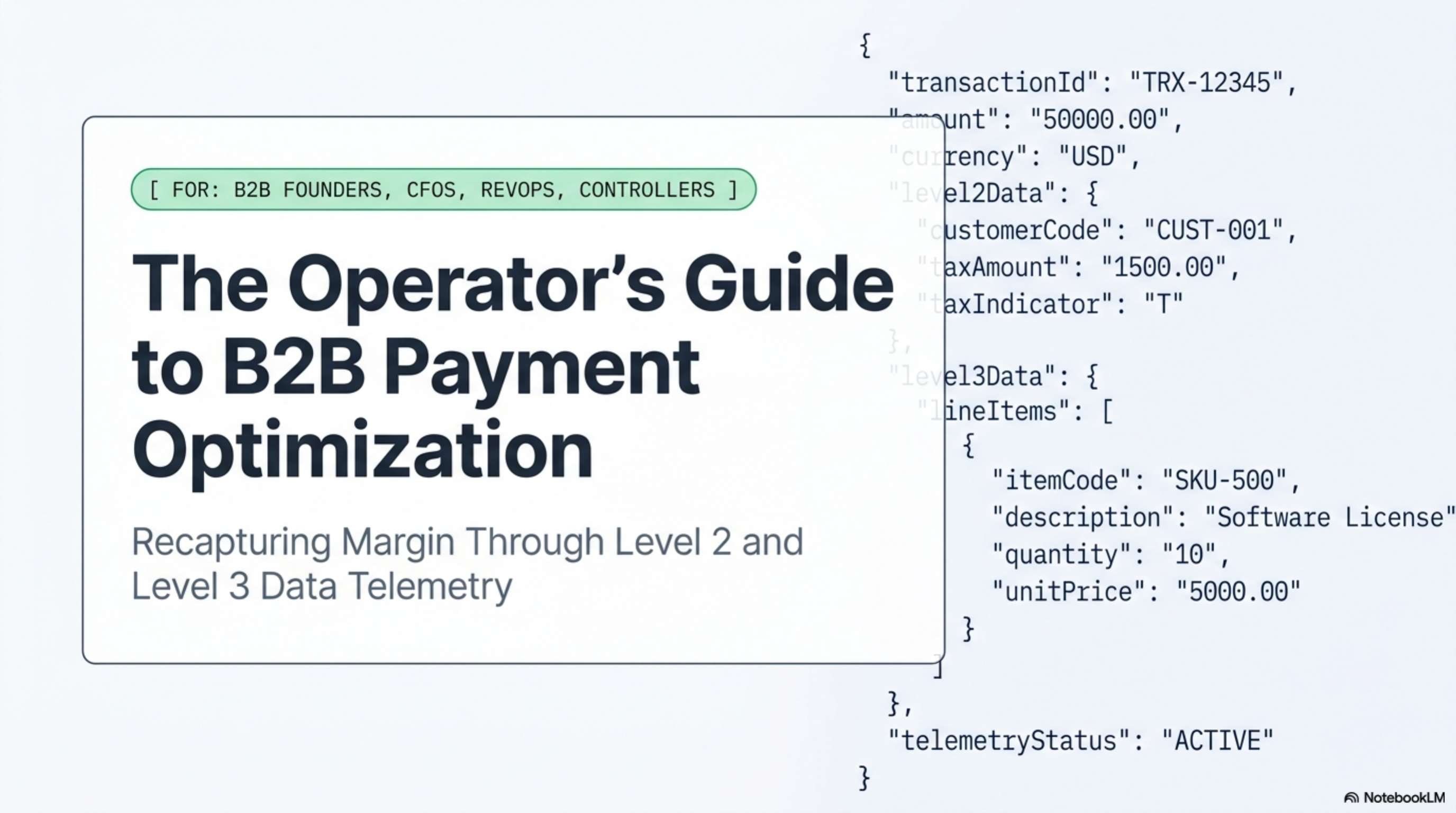
Level 2 and Level 3 processing data are additional transaction fields, like tax amount, customer code, and line items, that qualify B2B card payments for lower Visa and Mastercard interchange rates.
How it works under the hood
The data flows in two places: the authorization message when the card is run, and the clearing message when the batch settles. Most processors send Level 2 and Level 3 fields in the clearing record. The fields travel through the gateway, into the processor's batch file, then to Visa or Mastercard, who reads the fields and assigns the interchange category at settlement.
Required fields for Level 2 on most card brands:
- Sales tax amount, in the transaction currency, non-zero. A flat zero or a missing tax field downgrades the transaction.
- Customer code or PO number, up to 17 characters. Any string of digits or letters the buyer can match to their procurement record.
- Merchant postal code (the billing address ZIP of the merchant location). This is usually pre-populated in the gateway profile.
- Tax-exempt indicator if the buyer is exempt; in that case the tax amount can be zero.
Required fields for Level 3 add a line-item array. Visa's Level 3 specification calls for, per line: item description, product code, quantity, unit of measure, unit cost, line item total, tax amount, tax rate, and discount. The header record adds order subtotal, freight, duty, and ship-to ZIP.
If any required field is missing, malformed, or zero where it should not be, the network downgrades the transaction to the standard commercial category. The merchant pays the higher rate, and most statements do not flag the downgrade by name. It shows up only in the average effective rate at month end.
Visa runs commercial interchange categories like Visa Business Level 2, Visa Business Level 3 B2B, and Visa Purchasing Level 3. Mastercard's equivalents are Commercial Data Rate I (Level 1), Data Rate II (Level 2), and Data Rate III (Level 3). The published rate spread between Data Rate I and Data Rate III typically clears 0.50 percent on signature-authenticated commercial cards.
Level 2 and Level 3 do not apply to consumer cards. If 90 percent of your statement volume is consumer credit and debit, this project saves nothing. If 30 percent is commercial, it is the largest single fee lever you have.
Where it goes wrong for operators
Five patterns account for most of the lost savings. Each is fixable, but only one shows up on the statement in plain language.
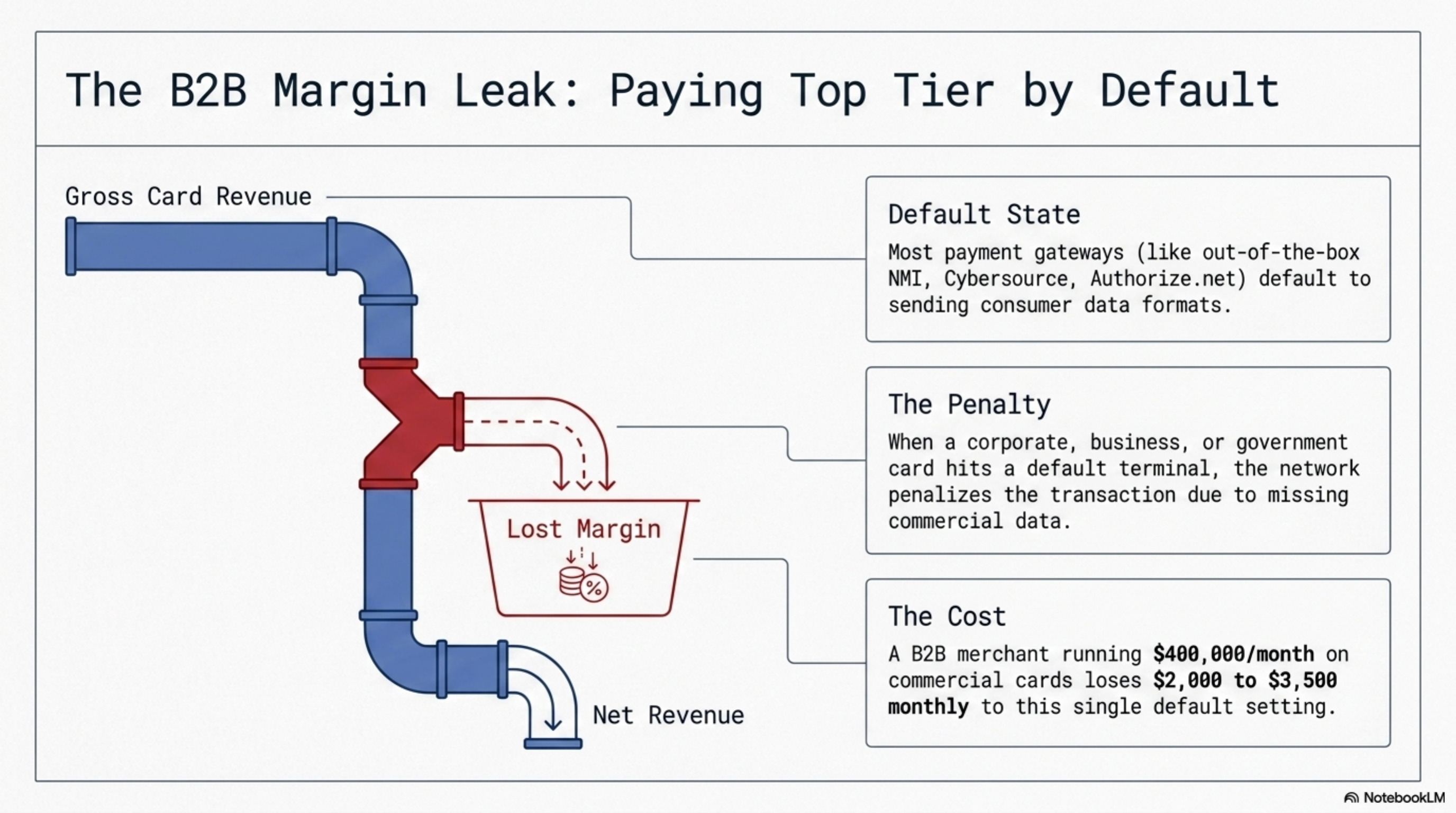
1. The gateway is not sending the data. Authorize.net, NMI, Cybersource, and Stripe all support Level 2 and Level 3 fields, but the merchant has to enable them. Out of the box, most integrations send only Level 1. A B2B merchant running $400K per month on commercial cards loses roughly $2,000 to $3,500 per month from this one default setting.
2. The tax field is zero. If your invoicing system passes a $0 tax amount on a taxable sale, the network rejects the Level 2 qualification. Tax must be between 0.1 percent and 22 percent of the sale amount. Tax-exempt sales need an explicit tax-exempt flag, not a $0 tax field.
3. Flat-rate processor with no Level 2/3 path. Stripe, Square, and PayPal price commercial cards at the same flat rate as consumer cards (2.9 percent plus $0.30 on Stripe's standard plan, per Stripe's published pricing). The merchant captures none of the Level 3 savings because the processor pockets the interchange spread. On a $1M monthly B2B book, this gap is $5,000 to $9,000 per month.
4. The processor's gateway claims Level 3 but the data fails validation. Common errors: line item totals do not sum to the order total, tax rate format is wrong (decimal vs. percent), or product codes contain spaces. The transaction settles, the merchant assumes Level 3 was applied, but the network sees malformed data and downgrades.
5. Card-not-present surcharges stack on top. A keyed B2B transaction without Level 2 data hits both the standard commercial rate and a card-not-present surcharge. Adding Level 2 data offsets the surcharge entirely on most card brands.
Stripe's standard 2.9 percent plus $0.30 plan does not pass Level 2 or Level 3 interchange savings to the merchant. The pricing is flat regardless of card type. Their interchange-plus product, available to merchants over a published volume threshold, does support Level 3 submission.
Worked example with real numbers
Profile: a Midwest industrial supply company. $850,000 monthly card volume, $1,150 average ticket, 740 transactions per month. 78 percent of card volume is on commercial Visa or Mastercard accounts (purchasing cards, business credit cards, and government P-cards). Current contract is interchange-plus 0.30 percent and $0.10 per transaction, billed correctly, but the gateway is sending only Level 1 data.
Commercial card volume: $850,000 multiplied by 0.78 equals $663,000 per month.
At Level 1 (standard commercial), the blended interchange on this commercial volume runs about 2.50 percent plus $0.10 per transaction. At Level 3 (B2B qualification), the published Visa and Mastercard rates blend to roughly 1.90 percent plus $0.10. The interchange spread is about 0.60 percent.
Monthly interchange savings on $663,000 of commercial volume at a 0.60 percent spread: $663,000 multiplied by 0.0060 equals $3,978. Annual savings: $47,736. The merchant's gateway upgrade took an integration partner two days. The processor charged a one-time $750 setup fee. Payback period: 6 days.
Two things to note. First, the savings live in interchange, which the merchant already pays through. The processor's markup of 0.30 percent does not change. Second, the savings only apply to commercial card transactions; consumer cards do not have Level 2 or Level 3 categories. If your B2B volume is 30 percent commercial cards instead of 78 percent, scale the savings accordingly: roughly $1,530 per month at the same spread.
Most B2B merchants over $300K monthly volume save $2,000 to $7,000 per month from Level 3 enablement alone. The fix is a gateway configuration change, not a new processor.
Operator playbook
Seven actions, in order, that you can run this week:
- Pull last month's statement and find the BIN-level breakdown. Most processor statements list interchange categories by name. Look for "Visa Business Standard," "Mastercard Commercial Data Rate I," or "Visa Commercial Card." If you see these categories with significant volume, you are paying Level 1 on commercial cards.
- Calculate your commercial card mix. Sum the dollar volume in commercial categories and divide by total card volume. Anything above 15 percent justifies a Level 2/3 project. Above 50 percent, this is the highest-ROI fee project on your statement.
- Email your processor: "What is required for our gateway to send full Level 3 data on Visa and Mastercard commercial transactions, and what fields are currently being sent?" A real answer names your gateway, the specific API fields, and a test cycle. A vague answer is a sign the processor cannot capture Level 3.
- Ask for a Level 3 enablement test on one terminal or one API integration. Most major gateways (Cybersource, NMI, Authorize.net, Worldpay) support a test mode. Run 10 commercial card transactions with full Level 2/3 data, settle the batch, and confirm the interchange category on the next statement.
- Check that your invoicing or ERP system can pass line-item data to the gateway. NetSuite, QuickBooks Online, SAP Business One, and Acumatica all support Level 3 transmission, but the connector has to be configured. If your shopping cart cannot pass line items, Level 3 will not work; Level 2 is still on the table.
- If your processor is Stripe, Square, or PayPal at flat-rate pricing, get a quote from an interchange-plus B2B processor. Stripe added Level 2/3 support on its interchange-plus product, not the standard 2.9 percent plan. Compare the all-in cost on your commercial volume.
- Document tax-exempt customers in your system with the exempt flag, not a $0 tax amount. This single field error is the most common cause of failed Level 2 qualification on B2B sales.
Two of these steps cost nothing and pay back the same month. The rest cost a setup fee in the low four figures and pay back in under 60 days at any volume above $200K per month in commercial cards.